Dify Docker部署环境变量配置
Dify Docker部署中环境变量配置说明,包括控制台API、Web前端、服务API、WebApp等URL设置及容器内IP获取方法。
环境变量
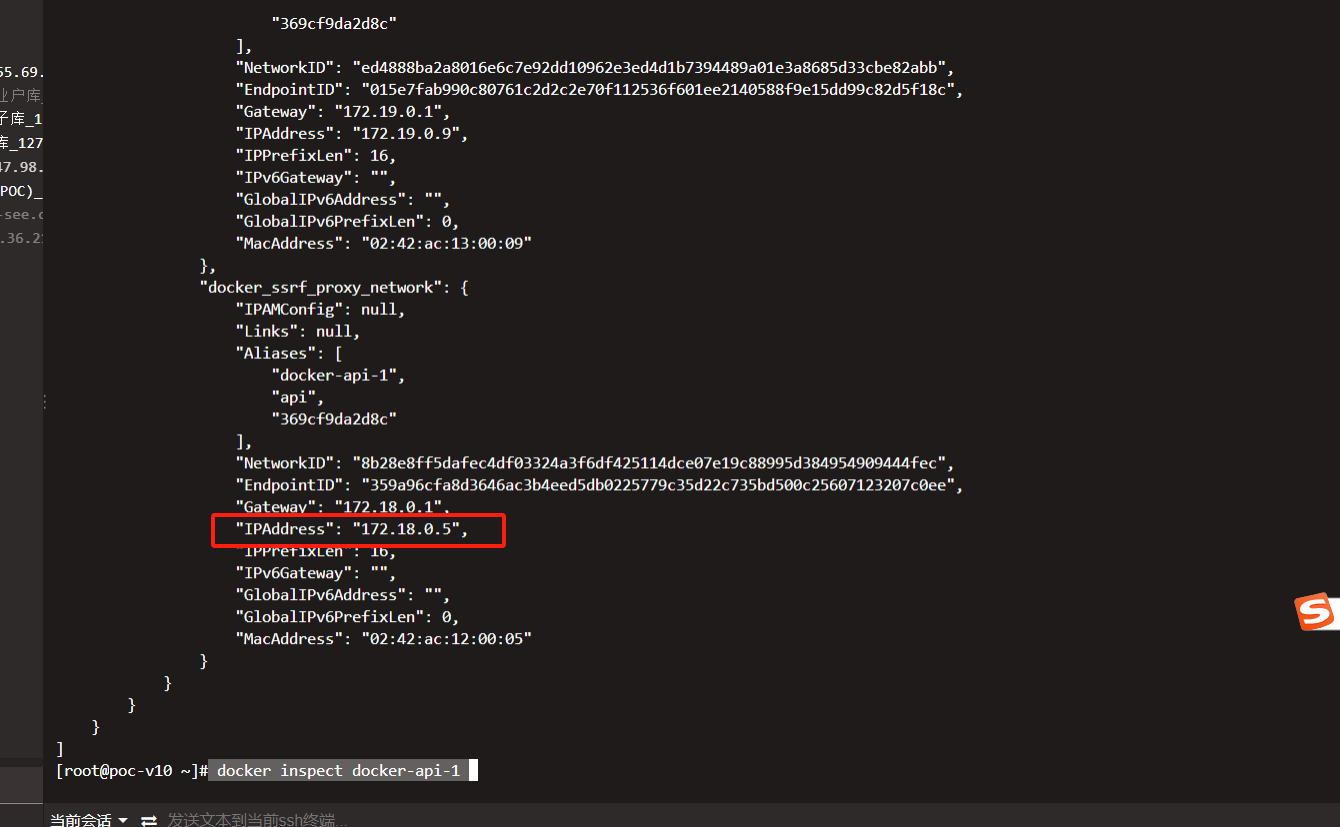
容器内IP
- docker inspect docker-api-1
https://cdn.nlark.com/yuque/0/2025/png/315567/1749110672954-5a2b77c0-c676-4068-a6b8-fde60c416cb4.png
# The backend URL of the console API,
# used to concatenate the authorization callback.
# If empty, it is the same domain.
# Example: https://api.console.dify.ai
CONSOLE_API_URL=https://saastest.new-see.com:88

# The front-end URL of the console web,
# used to concatenate some front-end addresses and for CORS configuration use.
# If empty, it is the same domain.
# Example: https://console.dify.ai
CONSOLE_WEB_URL=https://saastest.new-see.com:88

# Service API Url,
# used to display Service API Base Url to the front-end.
# If empty, it is the same domain.
# Example: https://api.dify.ai
SERVICE_API_URL=https://saastest.new-see.com:88

# WebApp API backend Url,
# used to declare the back-end URL for the front-end API.
# If empty, it is the same domain.
# Example: https://api.app.dify.ai
APP_API_URL=https://saastest.new-see.com:88

# WebApp Url,
# used to display WebAPP API Base Url to the front-end.
# If empty, it is the same domain.
# Example: https://app.dify.ai
APP_WEB_URL=https://saastest.new-see.com:88

# File preview or download Url prefix.
# used to display File preview or download Url to the front-end or as Multi-model inputs;
# Url is signed and has expiration time.
# Setting FILES_URL is required for file processing plugins.
#   - For https://example.com, use FILES_URL=https://example.com
#   - For http://example.com, use FILES_URL=http://example.com
#   Recommendation: use a dedicated domain (e.g., https://upload.example.com).
#   Alternatively, use http://<your-ip>:5001 or http://api:5001,
#   ensuring port 5001 is externally accessible (see docker-compose.yaml).
FILES_URL=https://saastest.new-see.com:88

# 原始值是5,json的嵌套层数是多少的限制-低开AI代码生成需要
CODE_MAX_DEPTH=10

# ------------------------------
# Docker Compose Service Expose Host Port Configurations
# ------------------------------
EXPOSE_NGINX_PORT=7000
EXPOSE_NGINX_SSL_PORT=7443

# 禁用插件安全认证策略
FORCE_VERIFYING_SIGNATURE=false

# 配置插件的初始化最长超时
PLUGIN_PYTHON_ENV_INIT_TIMEOUT=240
PLUGIN_MAX_EXECUTION_TIMEOUT=1200